Christmas and New Year Opening Hours: Setting Up Your Salon Bookings
Every year, the same questions come up in the last weeks of the year: Are we open on Christmas Eve? Who's working between Christmas and New Year? What happens to the bookings people already made for a day we're now closing?
Settling your holiday hours early saves a lot of phone calls. Here's a simple way to plan Christmas and New Year opening hours for a nail salon or spa, and to set up your bookings so clients can't book a day you're closed.
The public holidays to plan around
For the 2026–27 holiday period, the national public holidays are:
- Christmas Day — Friday 25 December 2026
- Boxing Day — Saturday 26 December 2026. Because it falls on a Saturday, most states and territories add an extra public holiday on Monday 28 December.
- New Year's Day — Friday 1 January 2027
- Australia Day — Tuesday 26 January 2027
Some states have extra or different days. Check your state's list on the Fair Work public holidays page before you decide.
Step 1: Decide your hours by early November
Look at last year: which days were packed, and which were quiet? Many salons find that Christmas Eve and the days before New Year's Eve are among the busiest of the year, while the days straight after Christmas are quiet. Decide for each day whether you're closed, open for shorter hours, or open with fewer staff.
Step 2: Agree staff leave at the same time
Holiday hours and leave are the same decision. Agree who is off before you announce your hours, so you're not left with a full calendar and half a team. If staff work on a public holiday, penalty rates apply — check the current pay guide for your award on Fair Work.
Step 3: Block closed days on your booking page
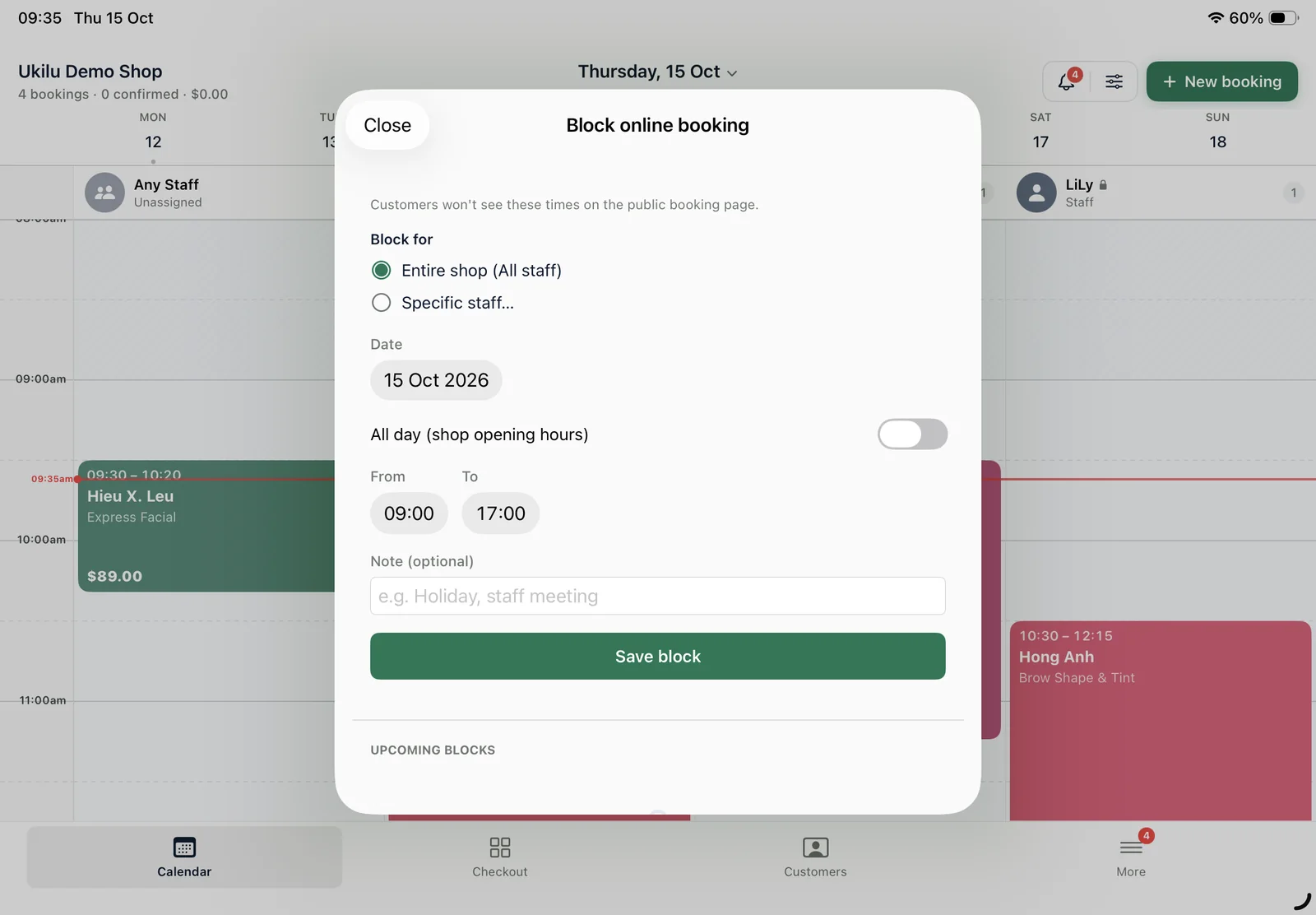
The most common holiday mistake is an online booking page that still takes bookings on a day you're closed. Block every closed day — and any short day — for the whole salon as soon as you decide. If one technician is away, block only their calendar so clients can still book with the rest of the team.
Step 4: Move bookings that already exist
If clients have already booked a day you're now closing, contact them straight away and offer the nearest available times. The earlier you tell them, the more likely they are to move rather than cancel.
Step 5: Tell clients, everywhere
- Update your hours on your Google Business Profile — Google lets you add special hours for holidays.
- Post your holiday hours on Instagram and Facebook, and pin it.
- Send a short message to your regulars with your hours and a booking link.
- Put a sign at the counter from mid-November.
Step 6: If you charge more on public holidays
Some salons charge extra on public holidays to cover penalty rates. If you do, show clients the full price they'll pay before they book. The menu exemption that lets cafés and restaurants list a separate weekend or public holiday surcharge applies to food and drinks — not to beauty services. The ACCC's price displays guidance explains the rules. Note too that, since 1 October 2026, you can't add a surcharge for payments on Visa, Mastercard, American Express or eftpos cards.
Step 7: Plan the quiet days
The days between Christmas and New Year and the first weeks of January can be quiet. Use them: send rebooking reminders, remind clients who received gift vouchers to use them, and contact clients you haven't seen for a while. If you're preparing for the season as a whole, our summer rush checklist covers rosters, booking rules and the counter.
Holiday hours in Ukilu
In Ukilu you block online booking for a time range — for the whole salon or for one staff member — and the booking page stops offering those times straight away. Staff days off and breaks are kept out of the booking page too, and existing appointments can be moved from the calendar on the iPad.
Getting your salon ready for summer? See current deals for Australian salons on the offers page, or talk to our team.