Integrated EFTPOS for Nail Salons: How It Works
At most nail salons, checkout looks like this: the receptionist reads the total off the screen, types it into the EFTPOS terminal, the client taps, and at the end of the day someone checks whether the terminal and the booking system agree. Usually they don't — by a few dollars, or one sale nobody can find.
Integrated EFTPOS removes that step. Here's how it works, why it matters for a busy nail salon, and what to check before you connect your terminal.
What is integrated EFTPOS?
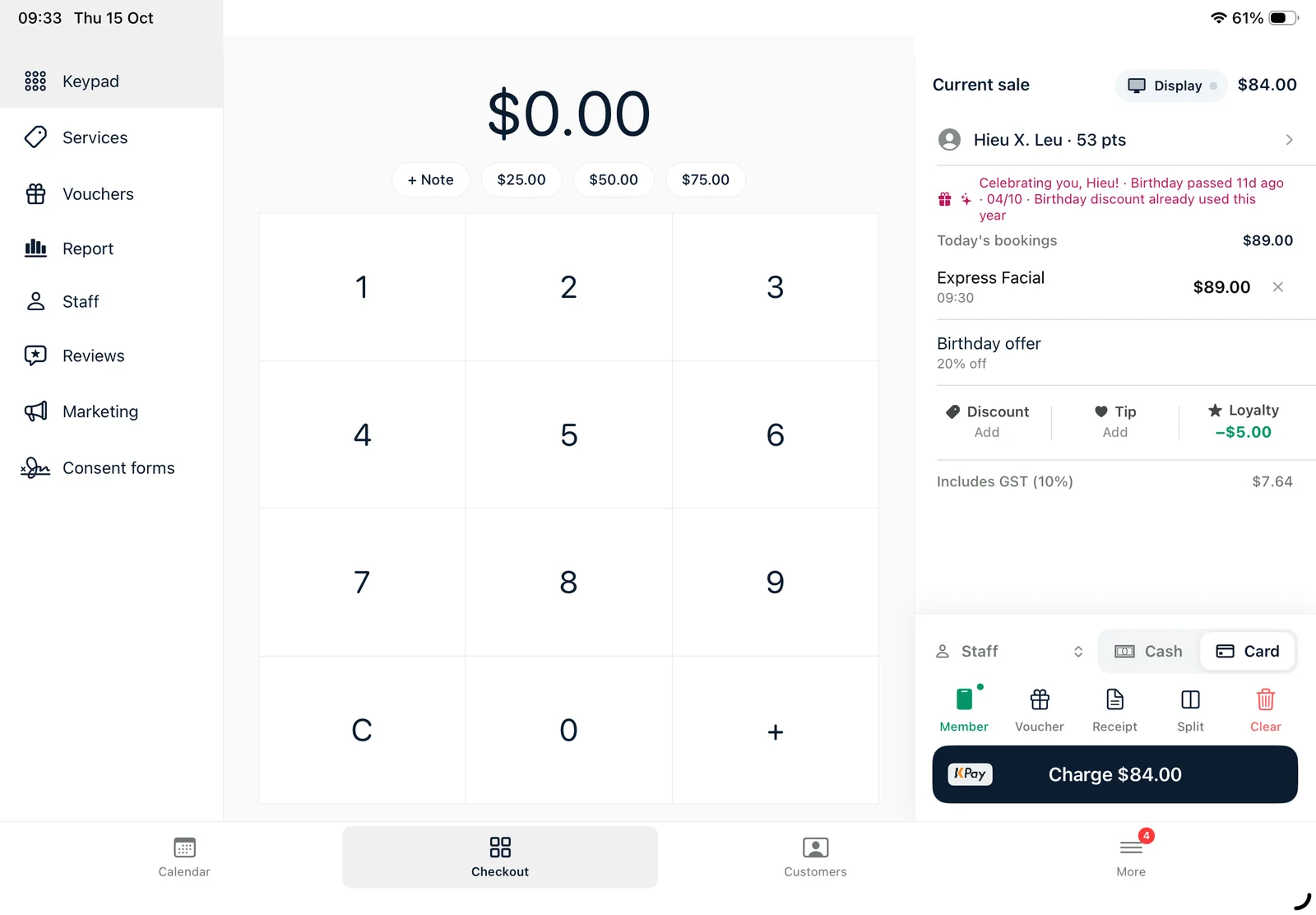
Integrated EFTPOS means your salon POS and your card terminal talk to each other. When the sale is ready, the POS sends the exact amount to the terminal. The client taps or inserts their card, and the result — approved, declined or cancelled — comes back into the POS automatically.
A standalone terminal, by contrast, knows nothing about the sale. Someone has to type the amount, and the POS has to be told the payment went through.
Why it matters in a nail salon
- No typing mistakes. $85.00 never becomes $58.00, and a refund can't be keyed twice.
- Faster checkout. On a busy Saturday, saving 20–30 seconds per client adds up — and the next client sits down sooner.
- Totals that match. Every card payment is recorded against the sale, so end-of-day reports match the terminal.
- Cleaner refunds. Refunds start from the original sale in the POS instead of being typed into the terminal from memory.
- Loyalty and tips in the same flow. Points, tips and vouchers are part of the sale before the amount goes to the terminal.
Ways a terminal can connect
There are a few common approaches in Australia:
- Direct over your Wi-Fi. The POS app finds the terminal on the shop network and talks to it directly. KPay terminals work this way with Ukilu.
- Through a cloud service. Your bank's terminal connects to a payment platform such as Linkly over the internet, and the POS talks to that platform. No PC or extra software in the shop.
- Through the payment provider's own API, as with Square Terminal.
Which one you use mostly depends on who provides your terminal. If you're happy with your bank, it's worth checking whether its terminal supports a cloud integration before switching providers.
What to check before you connect
- Is your terminal supported? Not every model supports every integration. Check the model name on the back of the terminal.
- Who supports what? Your bank or payment provider supports the terminal; your POS provider supports the connection. Know who to call for each.
- What happens if Wi-Fi drops mid-payment? A good integration can recover the last transaction so you know whether the client was charged.
- Refunds and voids. Can you refund from the POS, or only on the terminal?
- Receipts. Does the terminal print, does the POS print, or can you email the receipt?
Integrated EFTPOS with Ukilu
Ukilu pairs with three kinds of terminals:
- KPay — found automatically on your shop Wi-Fi, no fixed IP address needed. See the KPay partner page.
- Bank terminals through Linkly Cloud — including terminals from CommBank, NAB, Westpac, St.George, Suncorp and others. Check yours on the Linkly terminals page.
- Square Terminal — keep your Square account and charge straight from the sale. See the Square integration.
Tyro is in certification. Whichever terminal you use, the amount goes from the sale on the iPad to the terminal, and the result comes back into your reports. Read more on the salon POS system page.