






















 Australian line
Salon POS system
Checkout that knows the client.
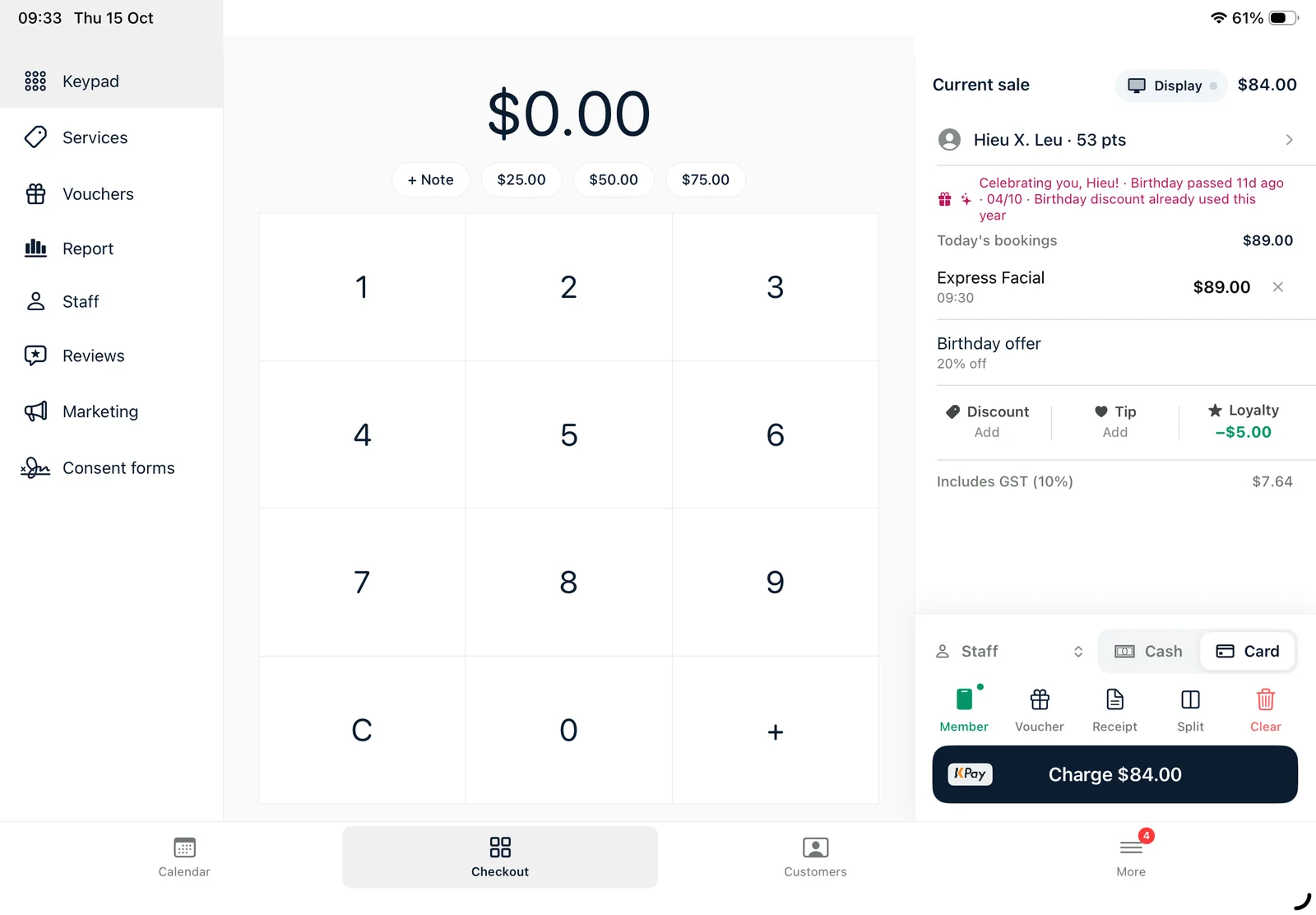
Today's bookings drop straight into the sale with loyalty points, vouchers and tips. One tap sends the total to your EFTPOS terminal — and the day's takings are in your inbox after close.
A POS that's part of your booking system
When the POS and the booking system are separate, staff retype every service, the terminal gets a different amount from the till and the reports never quite match. In Ukilu they're one app: the booking becomes the sale, and the sale goes to the terminal.
Ukilu pairs with KPay and with bank terminals through Linkly Cloud, so you can keep the bank you already use. Split a bill across card, cash and voucher, add tips per staff member, and see takings by day, week or quarter — split by cash, card, GST and surcharge.
What's included
Everything in one app.
All of it on the iPad at your counter, with a web dashboard for the office.
Integrated EFTPOS
KPay and bank terminals through Linkly Cloud — the amount goes to the terminal, no retyping. Tyro is in certification.
Split payments & tips
Split a bill across card, cash, voucher and transfer; track tips per staff member.
Gift vouchers
Sell, redeem and track vouchers — including the paper ones you already printed.
Customer display
A second screen facing the client with the total and payment options.
Reports & GST
Takings by period, split by cash, card, GST and surcharge, with a daily statement email.
Xero
Daily totals sent to Xero automatically, as an add-on.
How it works
From the door to done.
01
Booking becomes the sale
Services, staff and price come across from the calendar.
02
Add the extras
Products, tips, vouchers, discounts and loyalty points.
03
Pay on the terminal
One tap sends the total to your EFTPOS terminal.
04
Close the day
The daily statement lands in your inbox and in Xero.
Payments
Keep the terminal you trust.
Ukilu pairs with KPay and with bank terminals through Linkly — the amount goes straight from the sale to the terminal. Tyro is in certification.
Ukilu pairs with KPay and with bank terminals through Linkly Cloud — including CommBank, Westpac, NAB and others. Tyro is in certification.
No. With Linkly you keep the bank and merchant facility you already have — the terminal just receives the amount from Ukilu.
Yes. Split across card, cash, voucher and bank transfer, and add tips per staff member.
Card sales are saved on the iPad and synced once the server can be reached again, so a sale isn't lost.
Yes. Daily totals can be sent to Xero automatically as an add-on.
Also in Ukilu
One app, every part of the salon.
Ready when the rush is.
Pick a plan, sign up and your account is ready straight away. Need a hand moving your clients or menu across? Our team will help.