





















 Australian line
Appointment app
Appointment scheduling that fits how salons really work.
Staff rosters, buffer and processing time, fixed or flexible time slots and reminders that go out on their own — so the book stays full and nobody is double-booked.
More than a calendar
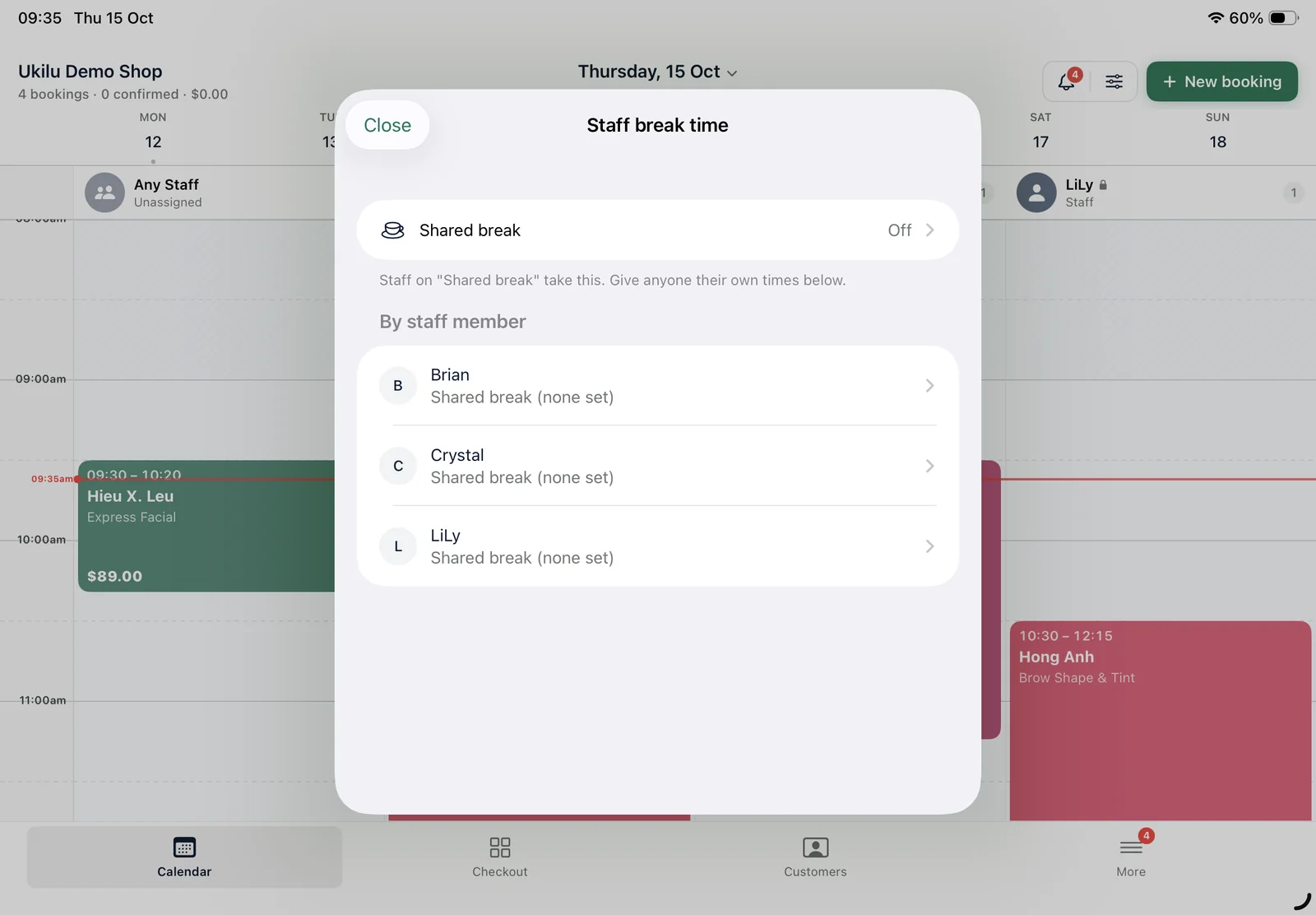
Most appointment systems stop at a time and a name. Salons need more: the gap after a service to clean the station, the processing time when the chair is free for someone else, a technician's day off and a lunch break that online clients must not book into.
Ukilu's appointment system knows all of that. Online bookings only offer times that are really free, the calendar shows every staff member side by side, and you can review online bookings before the confirmation goes out. Owners see the same calendar on iPhone and on the web dashboard.
What's included
Everything in one app.
All of it on the iPad at your counter, with a web dashboard for the office.
Day and week views
One column per staff member with colours by service and the current time marked.
Buffer & processing time
Clean-up time after a service, and processing gaps where the chair is free for another client.
Fixed or flexible slots
On-the-hour sessions for treatments, or slots that follow each service's length.
Rosters, breaks & days off
Work schedules per staff member, with breaks and off days the booking page respects.
Any-staff bookings
Show one name like "Any therapist" online and let Ukilu place the booking in a real column.
Approve before confirming
Review online bookings before the confirmation SMS goes out — handy for new clients.
How it works
From the door to done.
01
Set your hours
Opening hours, staff rosters, breaks and the services each person does.
02
Choose how clients book
Flexible times, fixed slots, deposits or approval first — your call.
03
Reminders go out
SMS and email reminders before each appointment, sent automatically.
04
See the day
Every appointment on the iPad, iPhone and web dashboard, in real time.
Payments
Keep the terminal you trust.
Ukilu pairs with KPay and with bank terminals through Linkly — the amount goes straight from the sale to the terminal. Tyro is in certification.
It's software that takes bookings, keeps the staff calendar and reminds clients about their appointment. Ukilu does that and also handles checkout, EFTPOS, loyalty and marketing in the same app.
Yes. Breaks and days off are hidden from the booking page, so online clients only see times that are really free.
Yes. You can add processing time inside a service, where the chair is free for someone else, and buffer time after it for clean-up.
Yes. You can offer on-the-hour sessions — popular with head spas and treatments — or let slots follow each service's length.
The Ukilu app runs on iPad and iPhone, with a web dashboard for reports and settings. Clients book from any browser.
No. Plans are a fixed monthly price per shop — see the pricing page for what each plan includes.
Also in Ukilu
One app, every part of the salon.
Ready when the rush is.
Pick a plan, sign up and your account is ready straight away. Need a hand moving your clients or menu across? Our team will help.